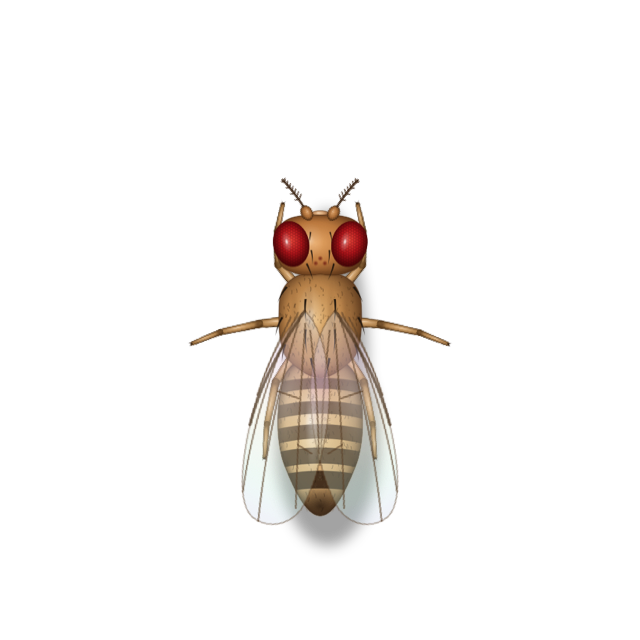
Fruit Fly
Drosophila melanogaster
Tracks the smell of fermentation in quick zigzags, lands on the rim to feed and grooms constantly.
A menu bar app for macOS
BugBnB turns a neglected Trash into a guest house. Let it fill up and meticulously drawn fruit flies, ants, cockroaches, moth flies and mosquitoes check in — and, if you invite them, ladybirds, a rainbow stag beetle and a swallowtail. They feed at the bin, roam across your displays and scatter when your pointer comes near. Empty the Trash, and everyone checks out.
Free · Version 1.12.1 · macOS 11 Big Sur or later · Apple silicon & Intel
Built native
It looks and feels at home on your Mac, starts in an instant and lives quietly in the menu bar. And when you quit it, it really quits.
Guests scurry smoothly across every display while your Mac stays quick. Leave it running all day, on battery too: it barely uses any resources.
Small, and runs natively on Apple silicon and Intel, back to macOS 11.
How it works
Step 1
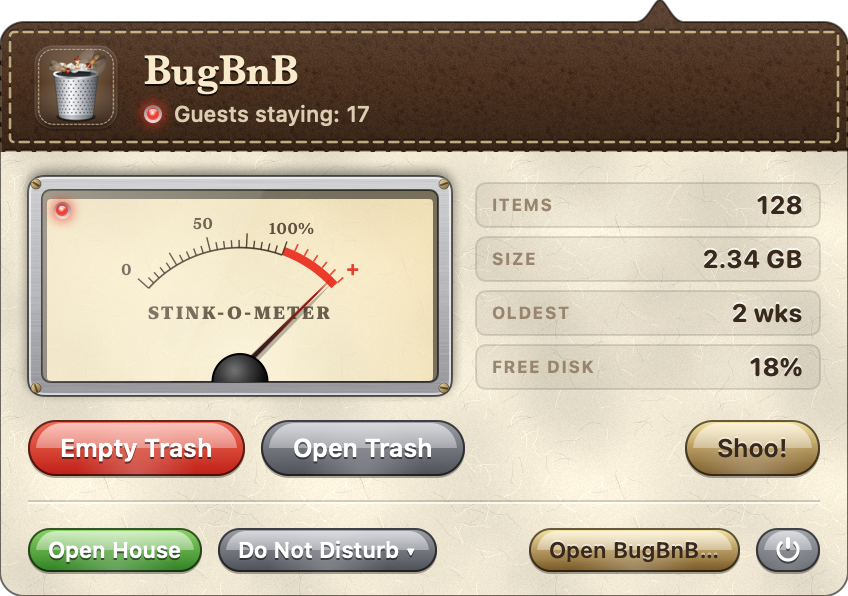
BugBnB keeps an eye on how big your Trash is, how many items it holds, how long the oldest has waited and how much disk space is left. When a rule you’ve turned on is met, the Stink-o-Meter swings into the red.
Step 2
They arrive the way real insects do. Fruit flies follow the scent in zigzags, a scout ant lays a trail for the colony, a cockroach hugs the edges of the screen. The Trash in your Dock is where everyone eats.

Step 3
A little garbage truck backs up to the Dock’s Trash and tips it into its hopper. Each guest leaves in character: flies take off, ants march home, the cockroach bolts for the nearest edge.
The guests
Compound eyes, bristles, veined wings with a sheen of colour. Choose who may stay, how many and how big: up to 20 guests in all, in small, medium or large.
Drosophila melanogaster
Tracks the smell of fermentation in quick zigzags, lands on the rim to feed and grooms constantly.
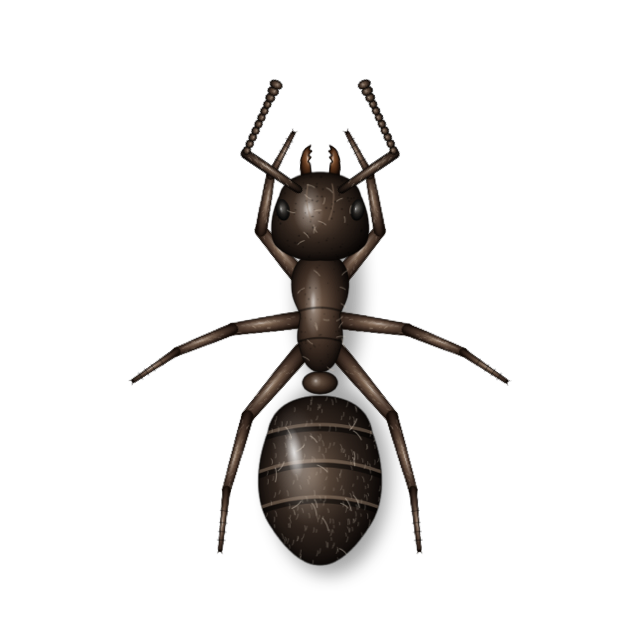
Lasius niger
A scout finds the food and lays a trail; the colony marches back and forth with crumbs, touching antennae when they meet.
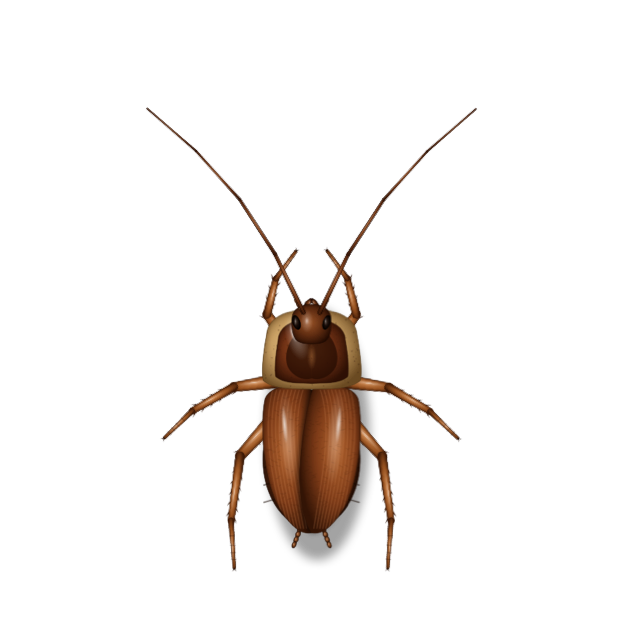
Periplaneta americana
Hugs the edges, freezes, then bolts. Bolder at night; at the slightest draft it slips off the edge of the screen.
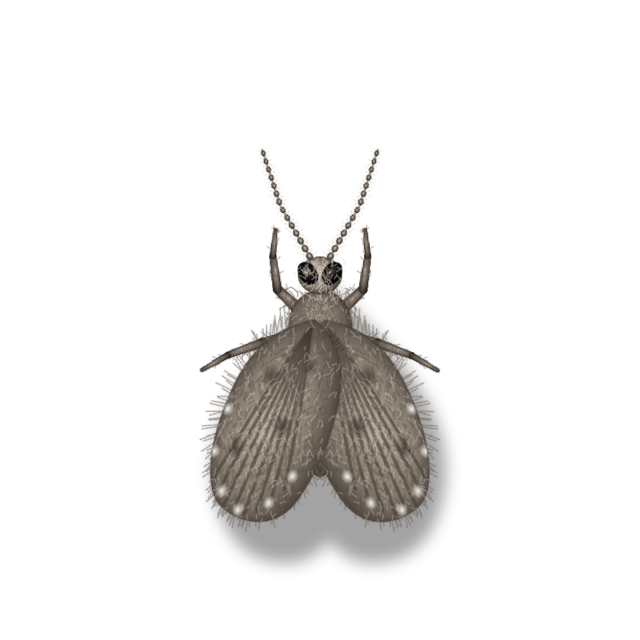
Clogmia albipunctata
A fuzzy drain fly: weak little hops, then long rests with its wings folded into a heart.
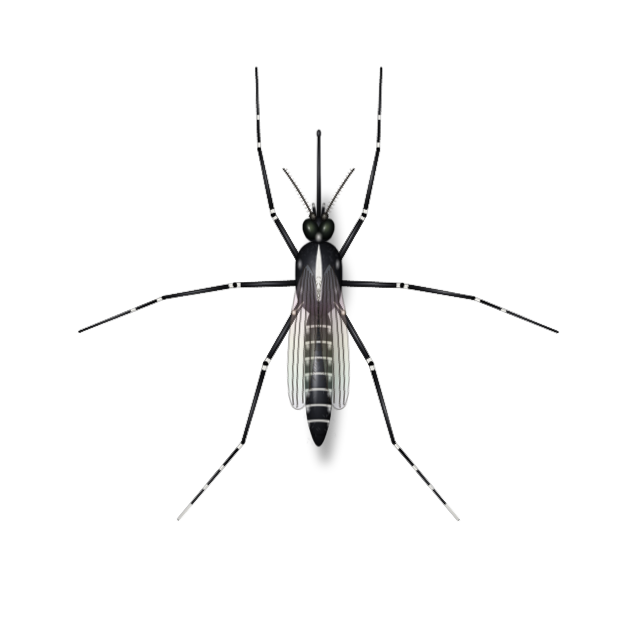
Aedes albopictus
Bobs in a hovering dance, and sneaks up on a resting pointer for a sip until its abdomen glows red.
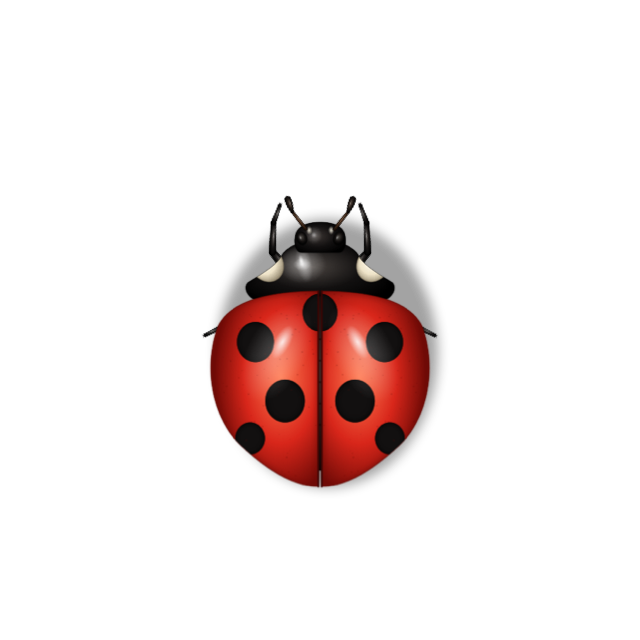
Coccinella septempunctata
Plods over the scraps, climbs to the top of a window to huddle with its friends, and plays dead the moment you grab it.
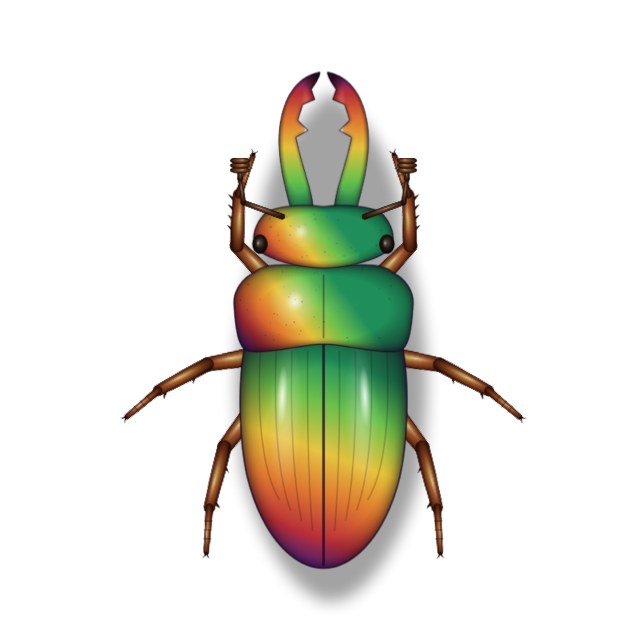
Phalacrognathus muelleri
An armoured slowcoach that sips for ages. It won’t run from your pointer: it turns and opens its jaws, and two of them will spar.
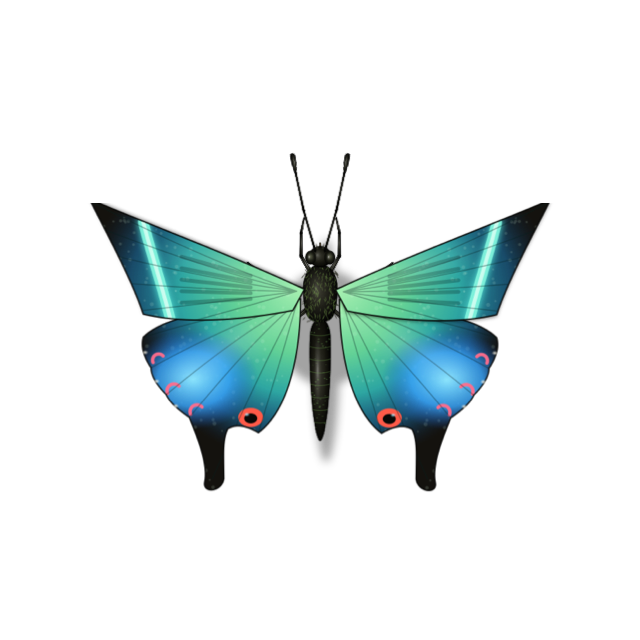
Papilio maackii
Bobs in on big velvet wings with a blue-green band, uncoils its long proboscis to sip, and patrols the Trash in wide loops.
Check-in rules
Out of the box only the Trash’s size counts; turn on as many other rules as you like. Guests arrive when any of them is met, and only while the Trash isn’t empty. Try it:
Vacant · the closest rule is at 62%
Size presets: Tidy 10 MB · Everyday 1 GB · Hoarder 10 GB, or any size you like. Guests can arrive all at once, or gradually, a new wave every 15 minutes to 2 hours. The Trash on external drives and in iCloud Drive counts too.
Habits
Guests roam all your screens, taking the routes where displays actually meet — or stay on the display with the bin.
They flee an approaching pointer; you decide how bold they are. Click one and it bolts for cover — then peeks out, freezes, and creeps back only once it feels safe. Ladybirds and stag beetles play dead instead. Hover the bin to clear the room, or press Shoo! Had enough? Bug Spray, the Flamethrower or the bug gourd deal with them for good — and keep new guests away for a while.
Leave the pointer still for a moment and a mosquito may come for a bite. Move, and it’s gone.
Pause for an hour, until tomorrow morning or until you say so — or set closed hours: weekdays nine to six, every night, whatever suits. On a call, guests keep out of sight while the camera or microphone is in use, and come back when it ends. Want company instead? Open House invites every guest for a minute, whatever the rules say.
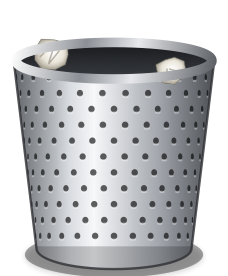
The Trash in your Dock, or a perforated steel bin you drag anywhere on the desktop.
Older Than 7 Days deletes only what has waited in the Trash longer than your age rule, and leaves the rest where it is. The garbage truck still comes round for it.
The Overview keeps count: how often you emptied the Trash, how much space that freed, and how many guests were sprayed, burned, bottled or shooed — this month and all time. It never leaves your Mac.
The menu bar icon tells you who’s in: a fly when guests are staying, z z during Do Not Disturb, a call or closed hours, ! when BugBnB needs a permission.
Pest control
Four tools, from gentle to final. Shoo! chases everyone off for a while. Bug Spray and the Flamethrower get rid of every guest on every display, and the smell keeps new ones away. The bug gourd draws them all in alive and digests them. The Pest Control page in the main window spells out what each tool does and the rules they share. Try them here:
This is the cabinet from the menu bar panel: a pilot lamp, a readout and gold ticks that light up as each tool recharges — or, for the gourd, show the space it has left. Here cooldowns run 40× faster, the gourd digests a batch in seconds rather than minutes, and guests come back after a few seconds.
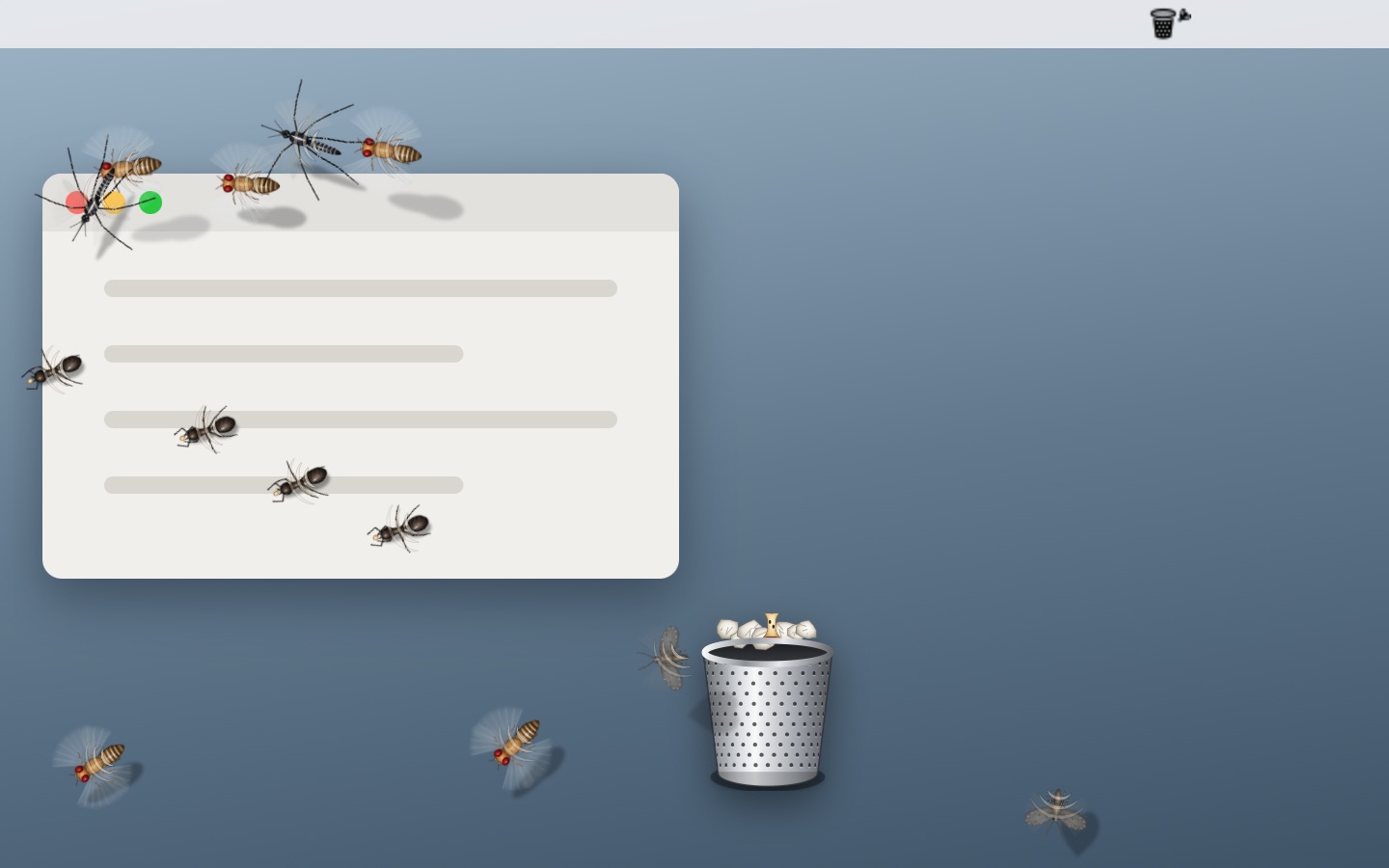
Harmless. With a whoosh, a gust of air spreads out from under the menu bar icon, wind marks sweep over each guest it reaches, and everyone scatters and hides for a while, then creeps back once the coast is clear. Use it as often as you like, or just hover over the bin.
No cooldown
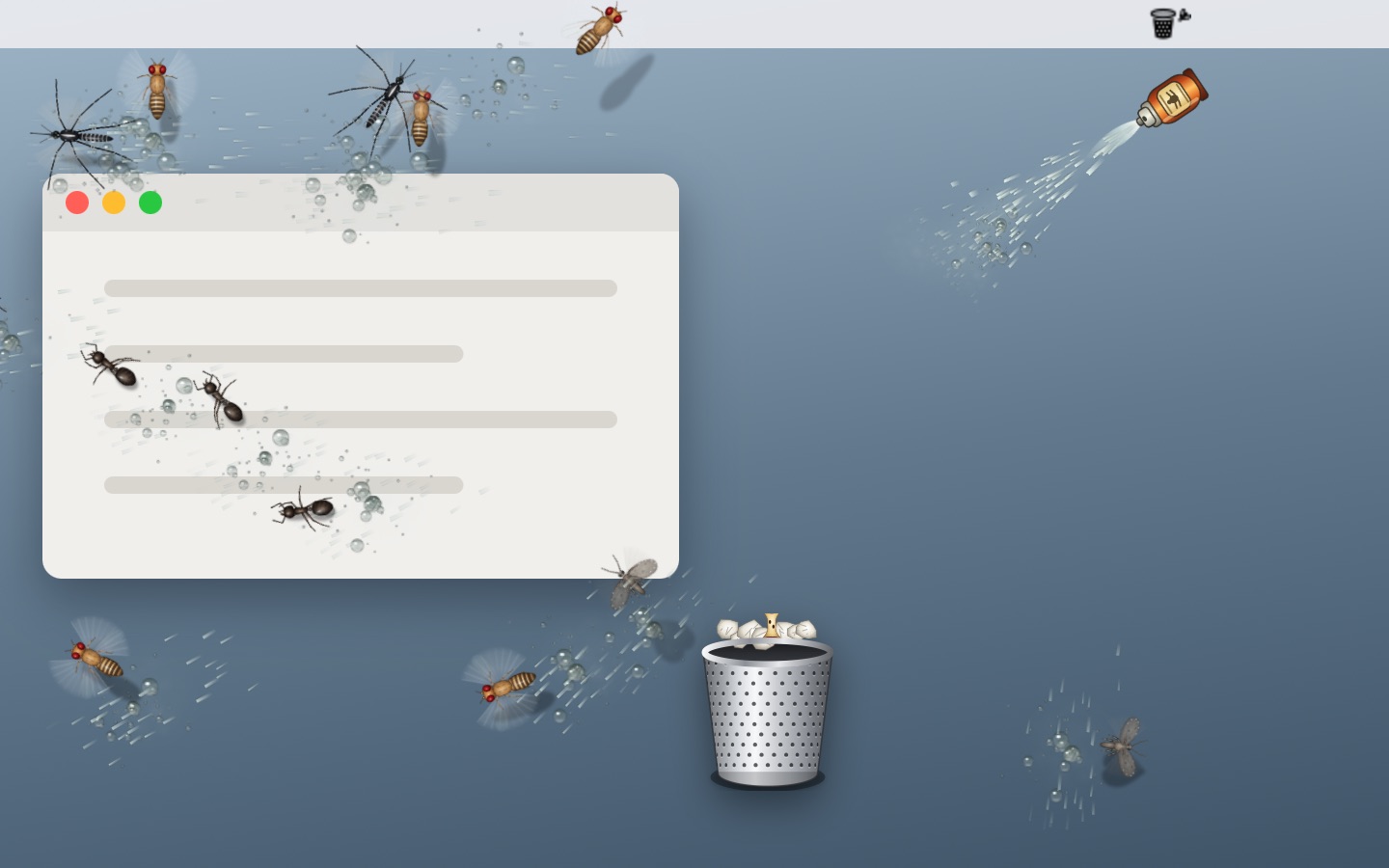
A spray can comes out under the menu bar icon and a fine jet hisses from it; a spray of droplets reaches each guest in turn: a frantic buzz, then they drop, twitch and curl up. Beads of spray are left on the glass and slowly dry.
Recharges in 3 minutes · no new guests for 10 minutes
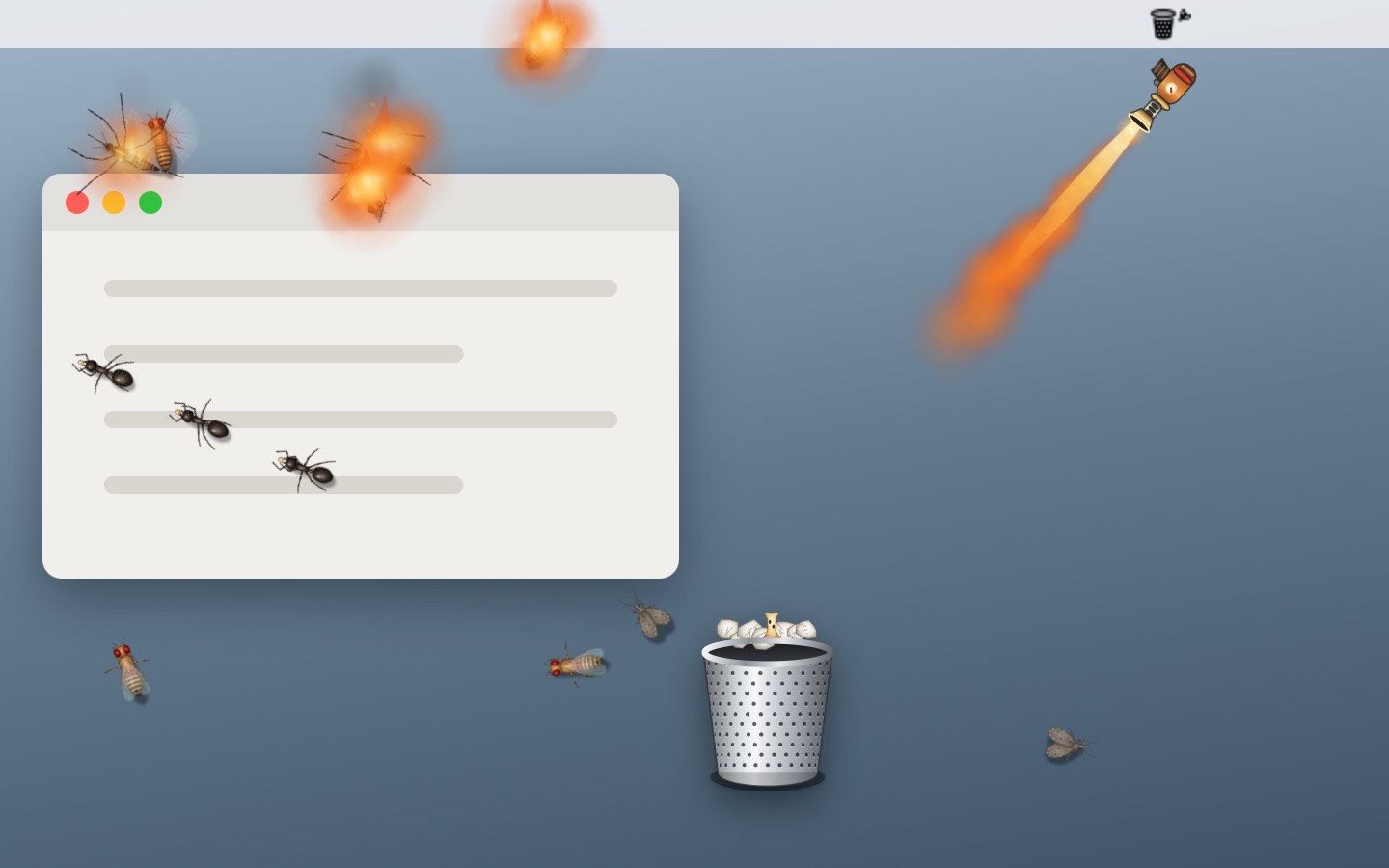
A little brass torch comes out under the menu bar icon and sweeps a jet of flame across the screen. Guests catch fire where they are, char and crumble to ash, leaving a smudge of soot that fades away.
Refuels in 10 minutes · no new guests for 30 minutes
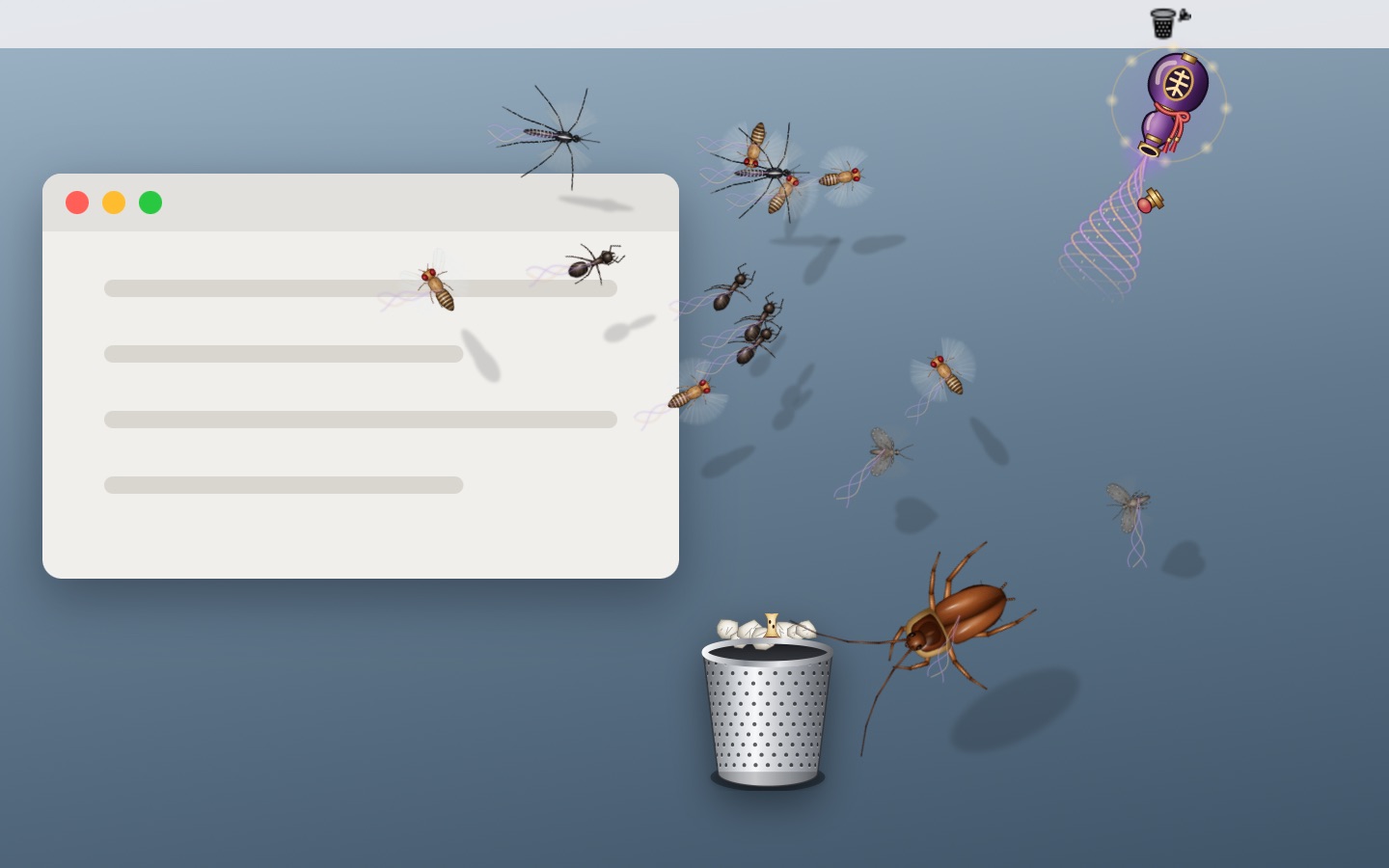
A purple-and-gold gourd is lowered under the menu bar icon and uncorked. Every guest on every display — the ones in hiding too — is lifted, turned and drawn down into its mouth, shrinking as it goes. The cork goes back in, and each sealed batch is digested three minutes later, freeing its slots again.
Holds 60 guests · each batch digested in 3 minutes · no new guests for 1 minute
Emptying the Trash
The Trash doesn’t just vanish. A little garbage truck drives in from the edge of the screen, pulls up at the Dock’s Trash and tips it into its hopper just as the Trash empties, then drives on out of the other side — and you hear all of it: the diesel working through its gears, the air brakes, the reversing alarm, the rubbish tumbling in and a toot of the horn as it leaves. Try it here (sound on):
128 items · 2.34 GB
This is the button from the menu bar panel. Move the Dock to the left or right and the truck comes out from the Dock’s side of the screen, stops at the Trash and drives off across the screen. It is measured from the Dock’s own icon, so it stays in proportion however large or small you keep the Dock — and in General you can send it away altogether, or just turn its sound off.
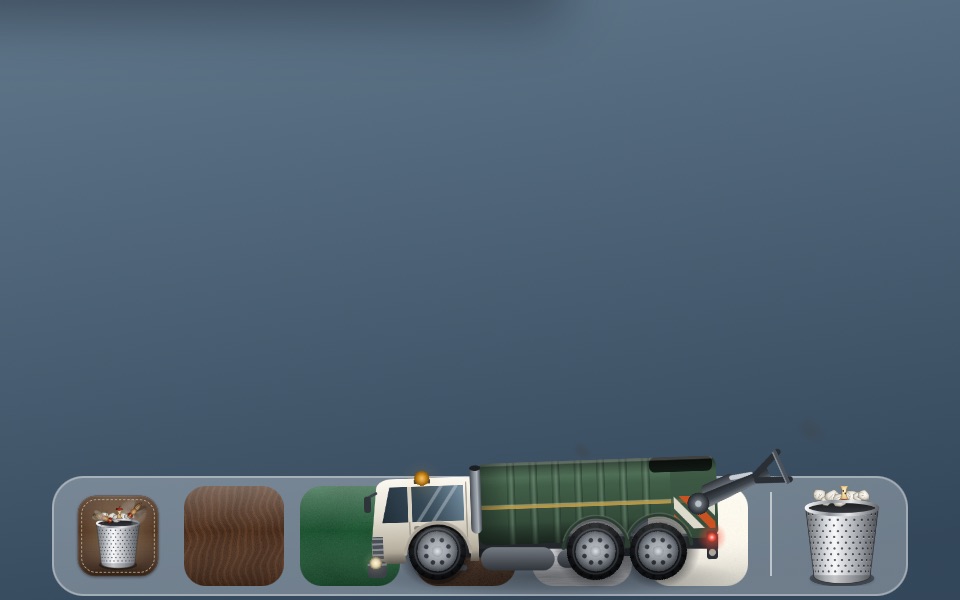
With the Dock at the bottom it rolls past the Trash and brakes — the body dips on its springs — then reverses up to it, reversing light on and beacon flashing. With the Dock at the side it drives straight up to it.
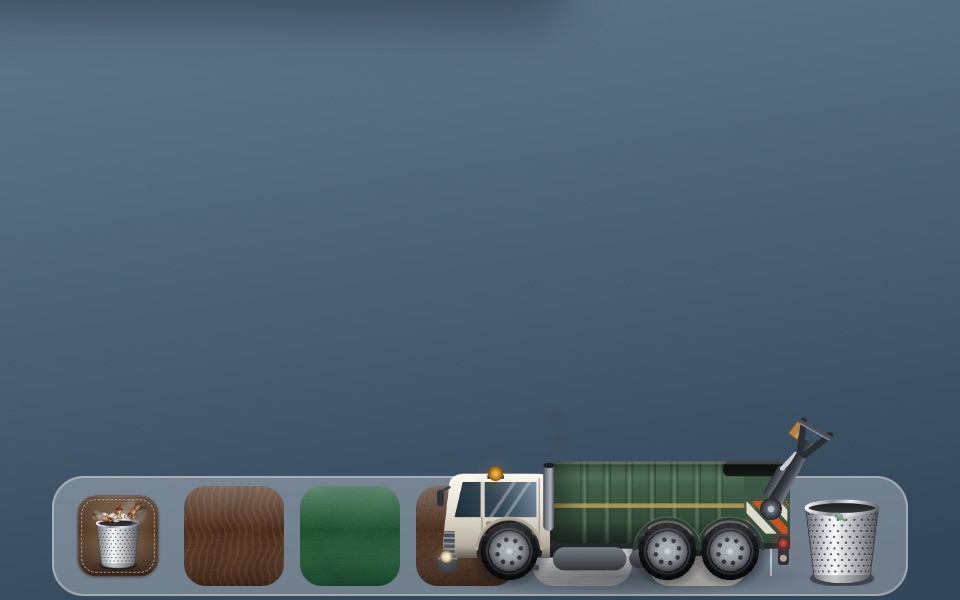
The lifting arm takes the bin and lifts it, and the rubbish tips into the hopper just as the Dock’s Trash empties.
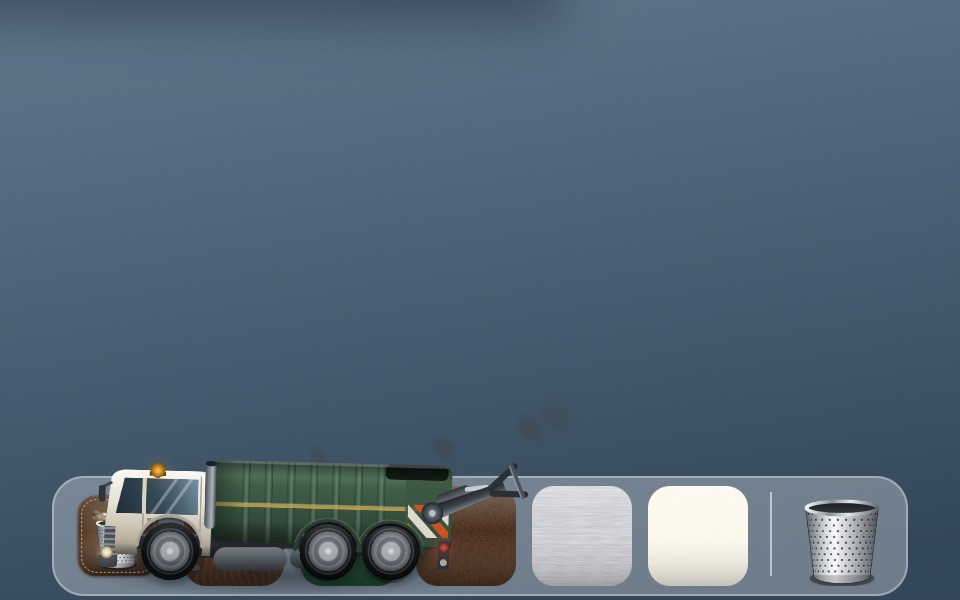
It pulls away with a puff from the exhaust and drives on, nose first, until the last of it has left the far side of the screen.
Screenshots
Every control is a thing you could touch: toggle switches, a mechanical counter, gel buttons and a spring-loaded meter.
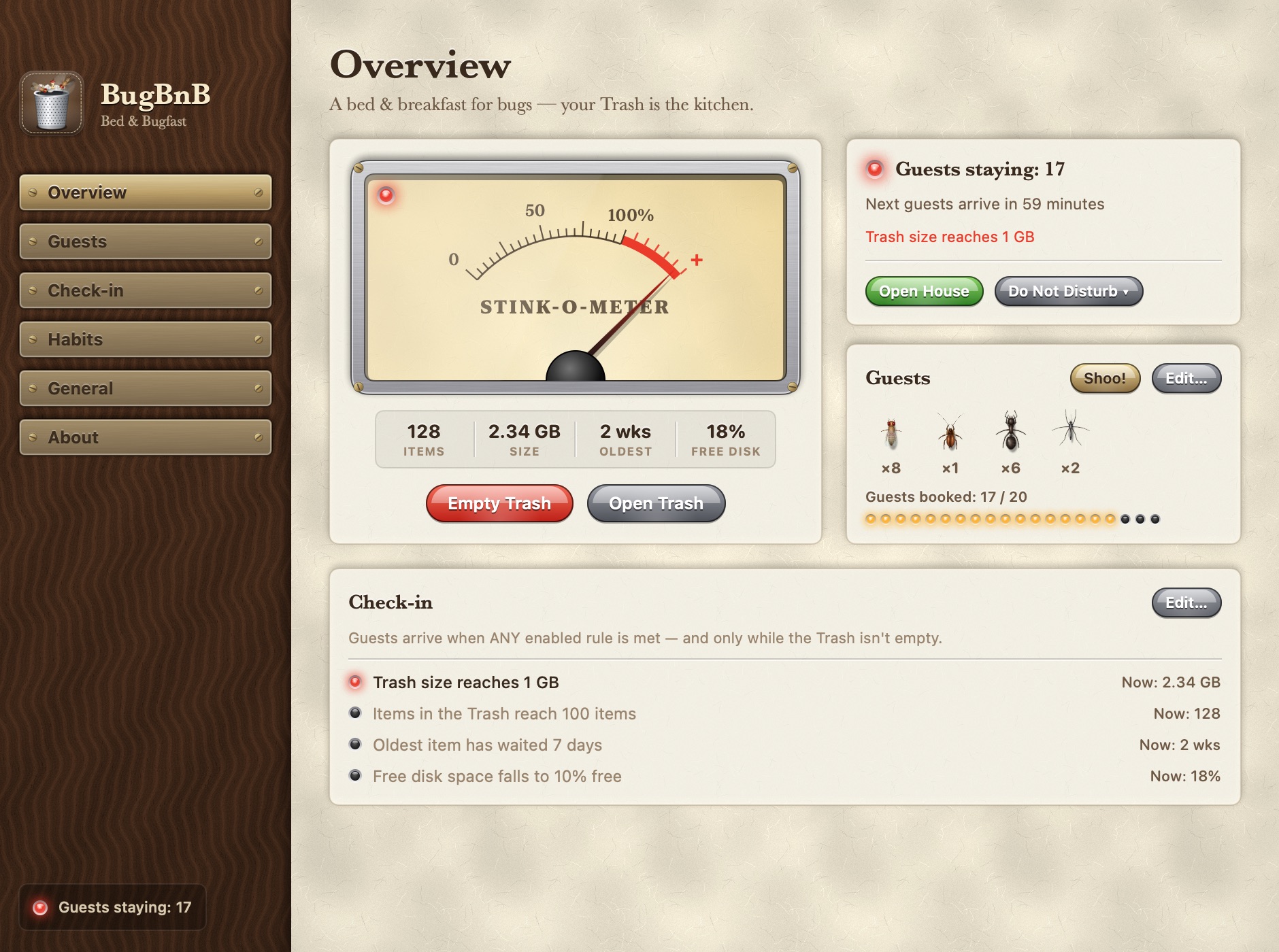
House rules
No account, no profile, no ads. BugBnB reads only your Trash’s size, item count and dates, and that reading never leaves your Mac. Two things use the network — a daily update check and one anonymous count of this copy when it starts — and you can turn either off.
The Trash is emptied only when you click Empty Trash or Older Than 7 Days, after a confirmation unless you turn it off. Clicks pass straight through the insects.
| Permission | Needed? | Why |
|---|---|---|
| Full Disk Access | Required | macOS protects the Trash folder. Without access, BugBnB can’t measure it. |
| Accessibility | Optional | Finds the exact Trash icon in the Dock. Without it, BugBnB estimates where it is, or you can use the desktop bin. |
| Automation › Finder | Optional | Empties the Trash through Finder, which handles locked items. Without it, BugBnB removes the Trash’s contents itself. |
Reception is open
7c321f7c20a6c9e4aad593a77f0a3592238bd9ce6b81c61685bbc34de7a38f5f This build isn’t notarized by Apple yet. The first time, Control-click BugBnB in Applications and choose Open.
Questions
No. They’re drawn on a transparent layer above your desktop, and clicks pass straight through. BugBnB never opens, moves or deletes a file unless you click Empty Trash.
Yes, entirely: no ads, no in-app purchases, no account and no trial period. New versions arrive through its own daily update check, and nothing installs without your OK.
Since macOS Mojave the Trash folder is privacy-protected. BugBnB needs access to measure it, and it reads nothing else.
No. It’s a native app built to stay out of the way: it barely uses any resources, even with twenty guests on screen, so you can leave it running all day, on battery too. While your displays sleep, the guests rest.
While the camera or microphone is in use, guests keep out of sight on their own and come back afterwards. For a presentation, choose Do Not Disturb in the menu bar panel and turn on Hide from Screenshots and Screen Sharing. They also stay out of full-screen apps unless you allow it.
Yes. Guests travel between displays where their edges meet, or you can keep them on the display with the bin.
BananaBin, which inspired BugBnB, shows flies around the Dock’s Trash once it passes a size. BugBnB brings eight species with their own habits, roaming across displays, more check-in rules, gradual arrivals, pest control, a garbage truck that collects the Trash, Do Not Disturb, and support back to macOS 11.
Ten — English, 简体中文, 繁體中文, 日本語, 한국어, Deutsch, Français, Español, Português (Brasil) and Русский — and so does this site. BugBnB follows your Mac’s language; you can also pick one in Settings › General, or on the welcome card the first time you open it.
Quit BugBnB from its menu, then drag it from Applications to the Trash. Your guests will be delighted, right up until you empty it.
Any Mac running macOS 11 Big Sur or later, with Apple silicon or an Intel processor.


